 HyreKitchen
AI meal planner · for one or two
Dinner, planned the way you eat.
Plan the whole week, or just tonight. Say how you want to eat and get dinners that fit, the full recipes, and one shopping list in aisle order. Then it cooks with you a step at a time.
Free while it's new · Runs in your phone's browser, no app store · Email or Google sign-in

Why it exists
“My mom raised two kids on not much, and in college I was broke. ‘$10 for two, what can I make?’ is the question I built HyreKitchen to answer.”
Cook on a budget
$10 for two. What's for dinner?
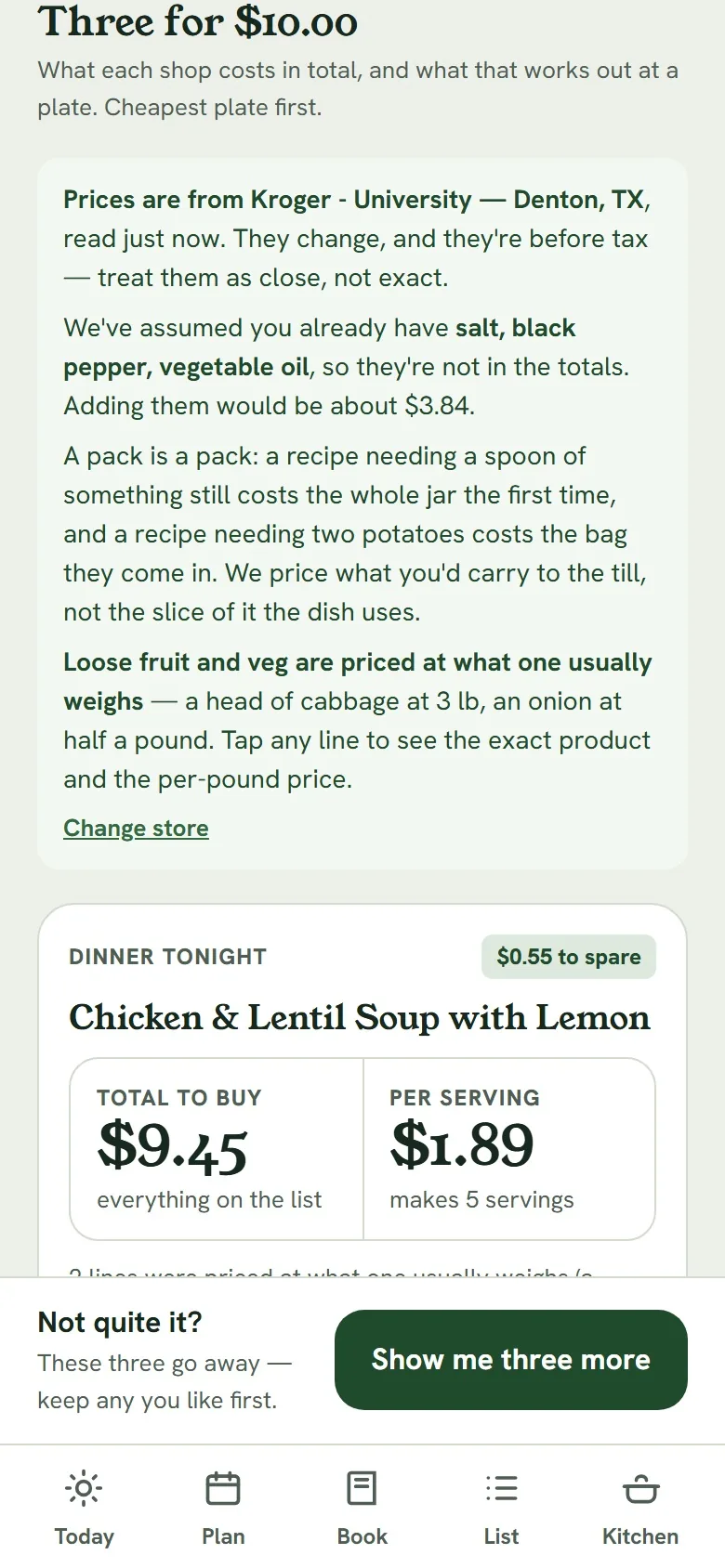
Tell it what you've got to spend and how many are eating. You get three dinners, every ingredient priced at your own Kroger, or clearly marked as estimates if you don't shop at one.
- Know it fits before you shopEach idea shows the total to buy and what it works out to per plate, so you know before you're in the store.
- Leftovers countCooking four servings for two? The price per plate spreads the shop over every meal it makes, and it tells you how many that is.
- Say what you feel like“Chicken”, “something with rice”: name an ingredient and all three ideas use it.
- Pick what you'd actually buyTap an ingredient to see the product it priced and up to four others on the shelf. Pick one and the total updates.
Store totals are estimates before tax, and a store can swap a size or a brand. Without a Kroger nearby, every price is a labelled estimate.
Tonight
Just tonight? Plan one meal.
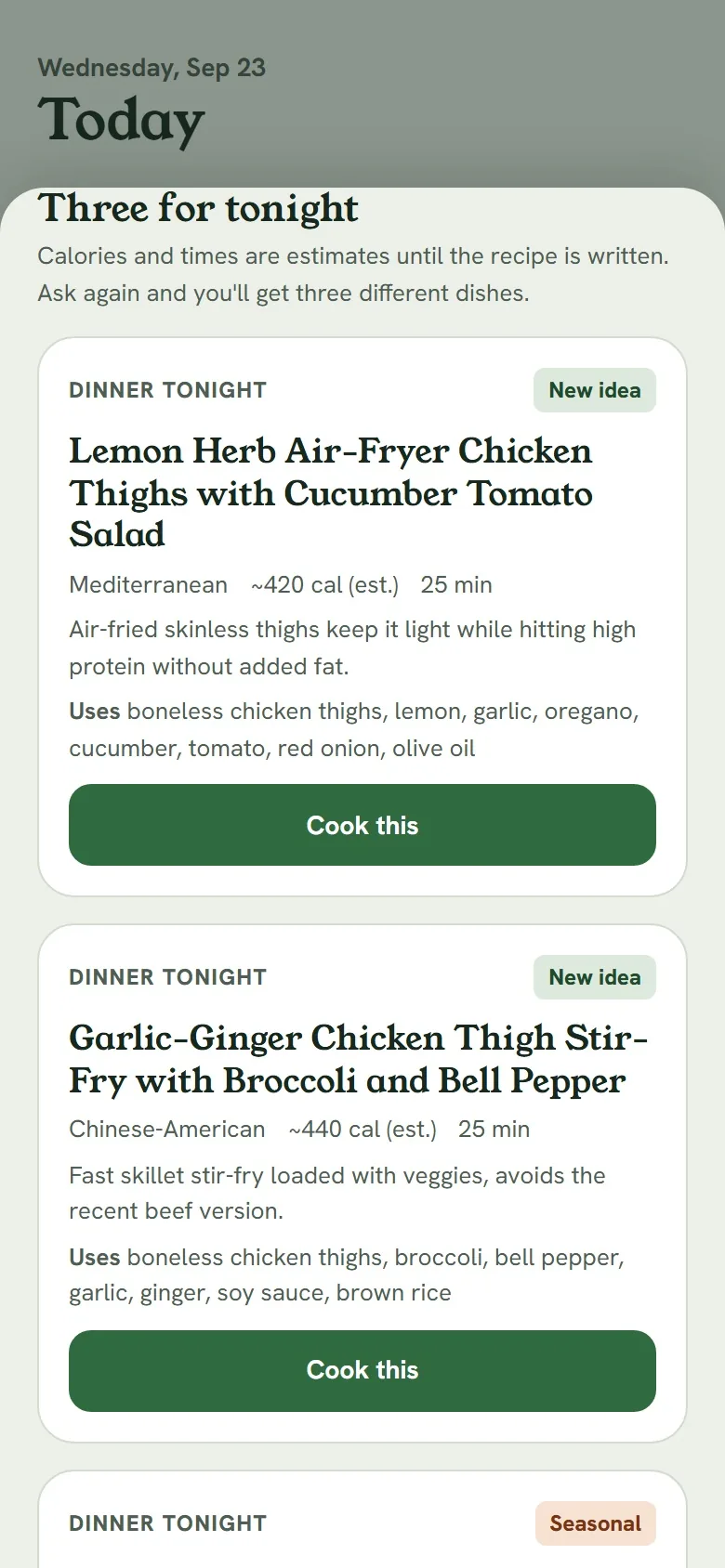
Three ideas for tonight, through the same rules and the same checks as a planned week. Nothing is saved until you pick one, and asking for three more is a button, not a do-over. Pick one and the full recipe goes straight into your book.
You stop deciding what's for dinner at 5pm.
Import from a link
Paste a recipe URL. Most food sites publish recipe data, so it's read in about two seconds. The site's name and link stay on the recipe; it's never passed off as ours.
Snap your fridge
Photograph a shelf and it proposes a list of what it sees. You tick and fix it, then get three ideas built around what's there. The photo is deleted when you confirm.
A week, start to finish
Describe, pick, shop, cook, rate. The good ones come back.
You answer six setup questions once. Every meal it suggests after that obeys them.
Describe
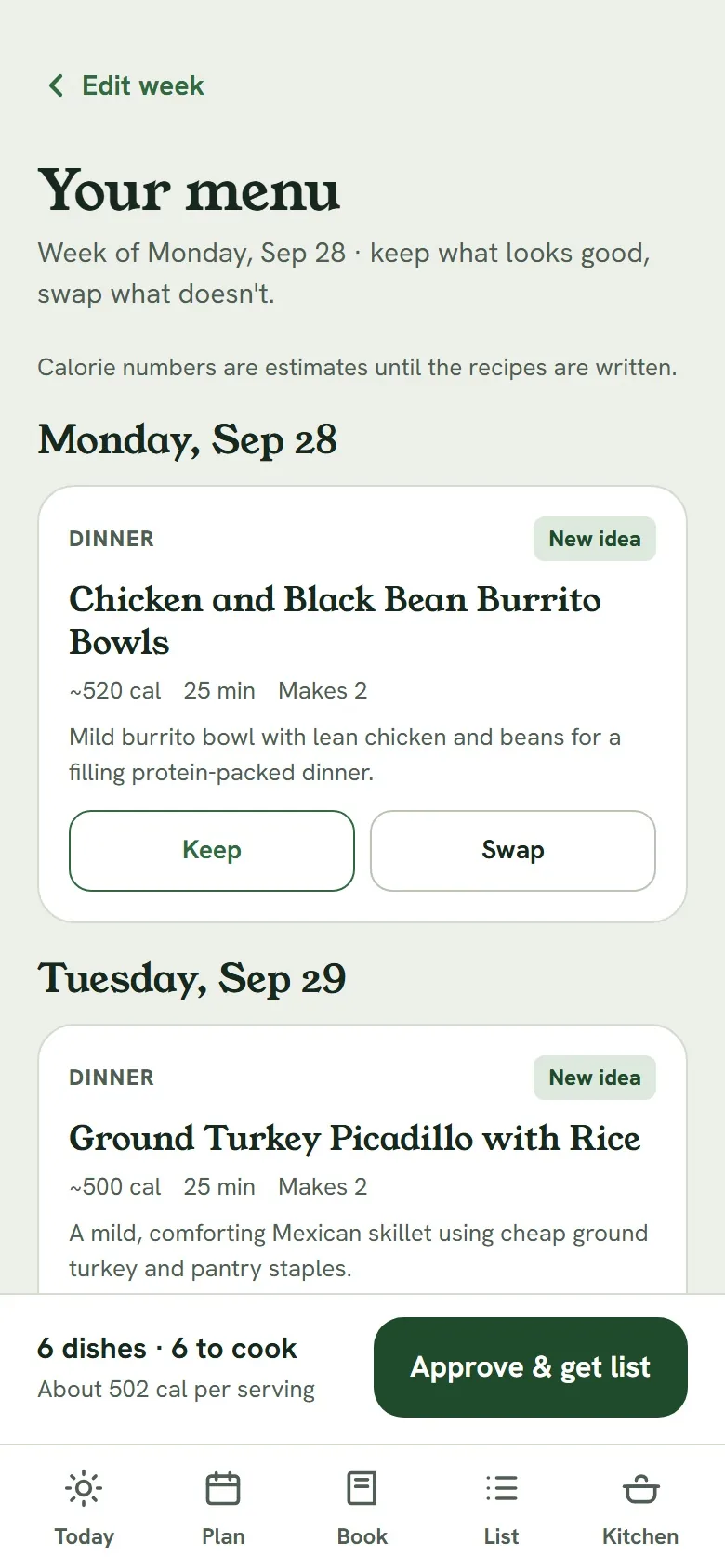
Tick the meals you want planned on a seven-day grid. It starts with seven dinners; breakfast and lunch are a tap away. Add High protein, Quick (30 min) or Meal prep, or type “more Mexican food this week, nothing too spicy”.
Pick
A menu in about thirty seconds, each dish checked against your allergies, dislikes and time limits before you see it. Swap one dish in about twenty seconds and the rest of the week stays put.
Approve
It writes the full recipes for your number of people, three at a time, in 60 to 120 seconds. A recipe that still fails its checks is marked “needs a swap” rather than served.
Shop
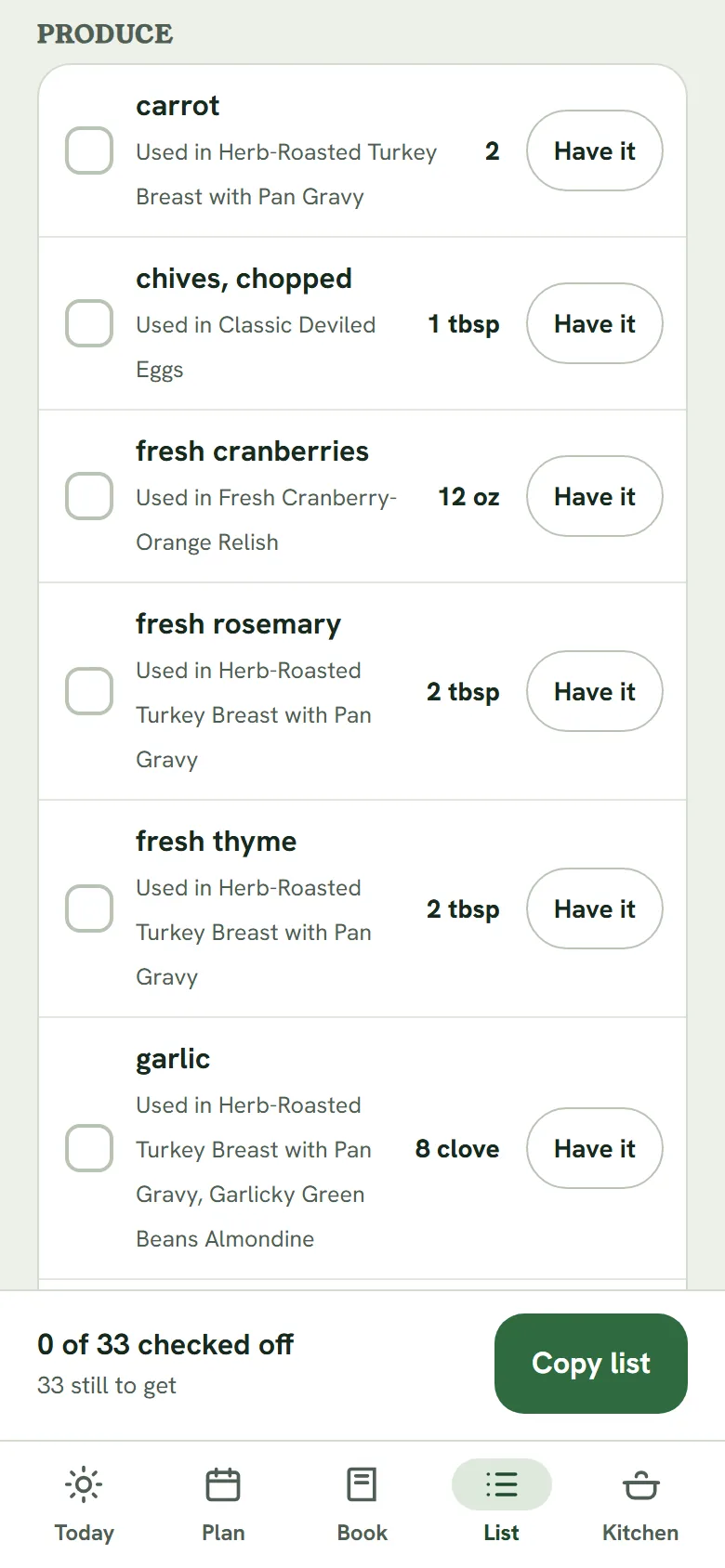
One list for the week, merged across recipes and grouped in the order you walk the store. Every row says which meals it's for.
Cook
One step per screen in big type, with that step's ingredients and a timer where it needs one. The screen stays on while you cook.
Rate and rotate
Each person rates separately. Keepers come back in two weeks, three weeks or a month, and a note like “too bland” goes into the next version of that dish.
Shopping
One list, in the order you walk the store. Or straight to your cart.
- Merged across the weekFive peppers once, not three and then two. Different units stay separate rather than guessing a conversion.
- “Have it”Tap it on the olive oil and it leaves this list and every list after. Undo brings it back if this week's recipes need it.
- Copy it as textOne tap puts the list on your clipboard for Notes, a text to your partner, or another store's app.
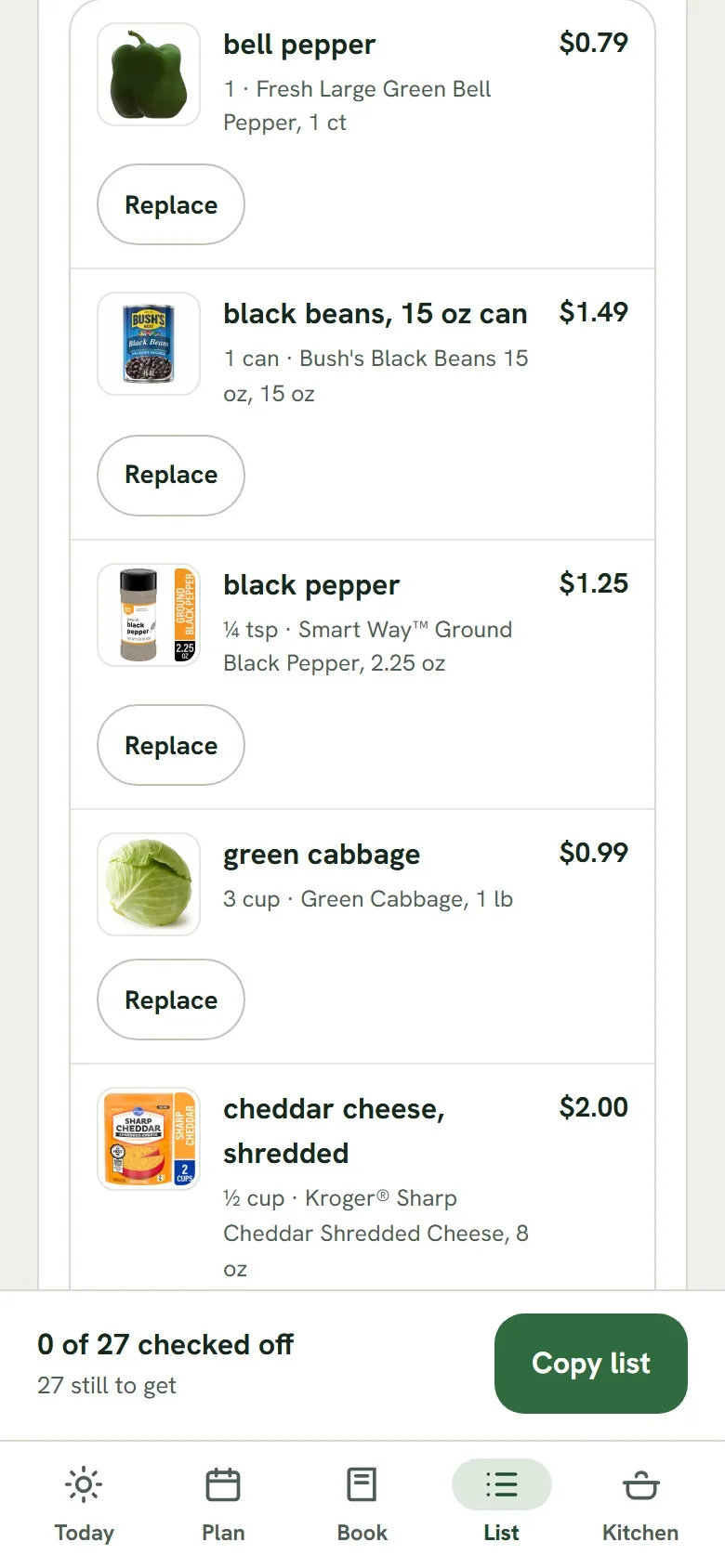
- Kroger prices from a ZIP codePick a Kroger, King Soopers, Fred Meyer, Ralphs, Smith's, Fry's or Harris Teeter. “Price this list” shows the actual product, its photo, size and price, what's on sale, and an estimated total. No Kroger account or sign-in.
- Send it to your Kroger cartConnect your Kroger account once and the whole list goes into your cart in one tap. Check out in the Kroger app for pickup or delivery, the way you already do. You sign in on Kroger's site, so the app never sees your password.
- Replace, and it stays replacedGrocery search is sometimes confidently wrong, which is why every row has Replace. Your pick is remembered as “Your usual”, with a button to forget it.
Store totals are estimates before tax and count one of each product. Kroger is asked about one item at a time, so a 30-item list takes most of a minute, and the screen shows the progress.
Cooking
The rice isn't cold when the chicken is ready.
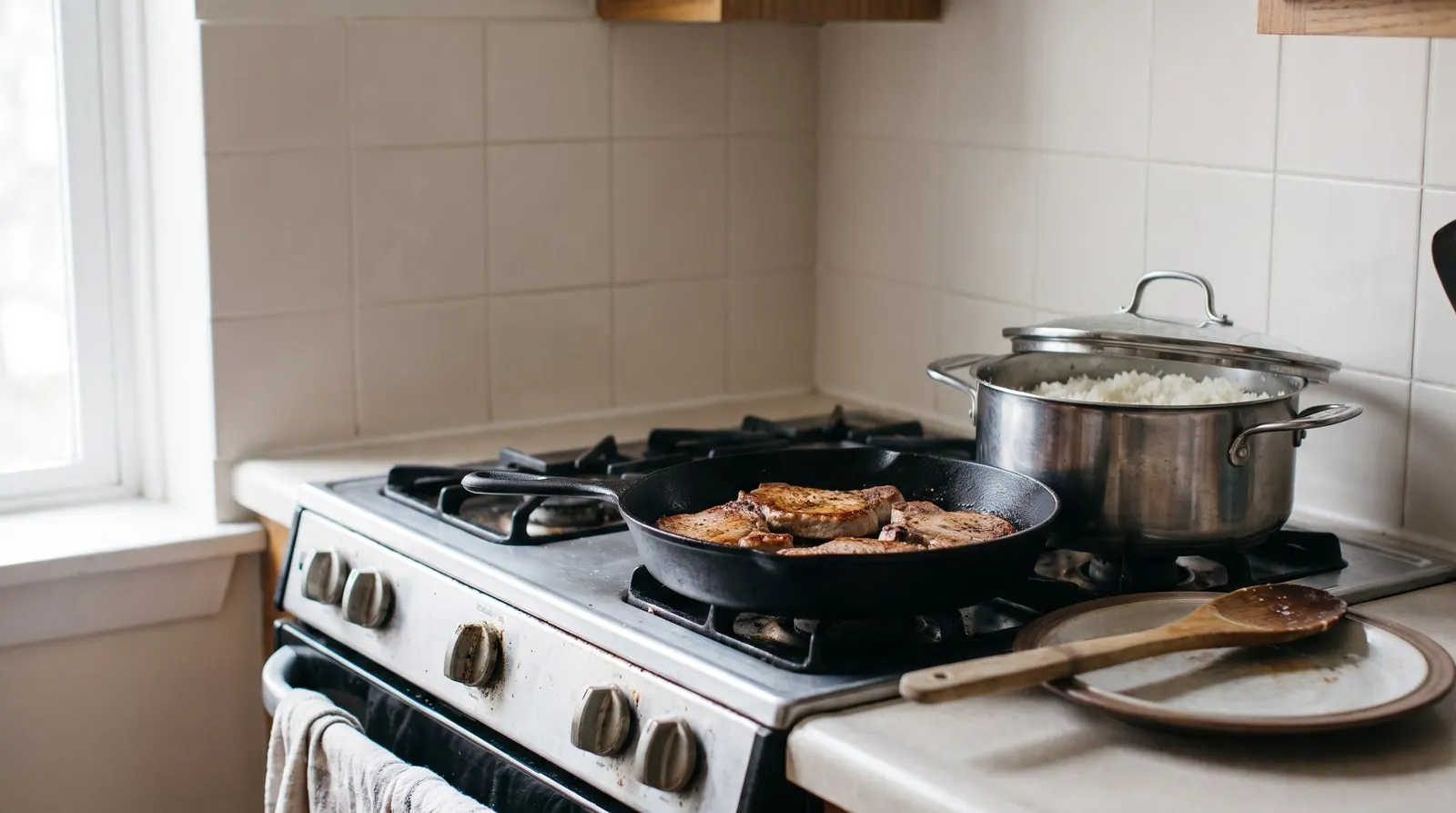
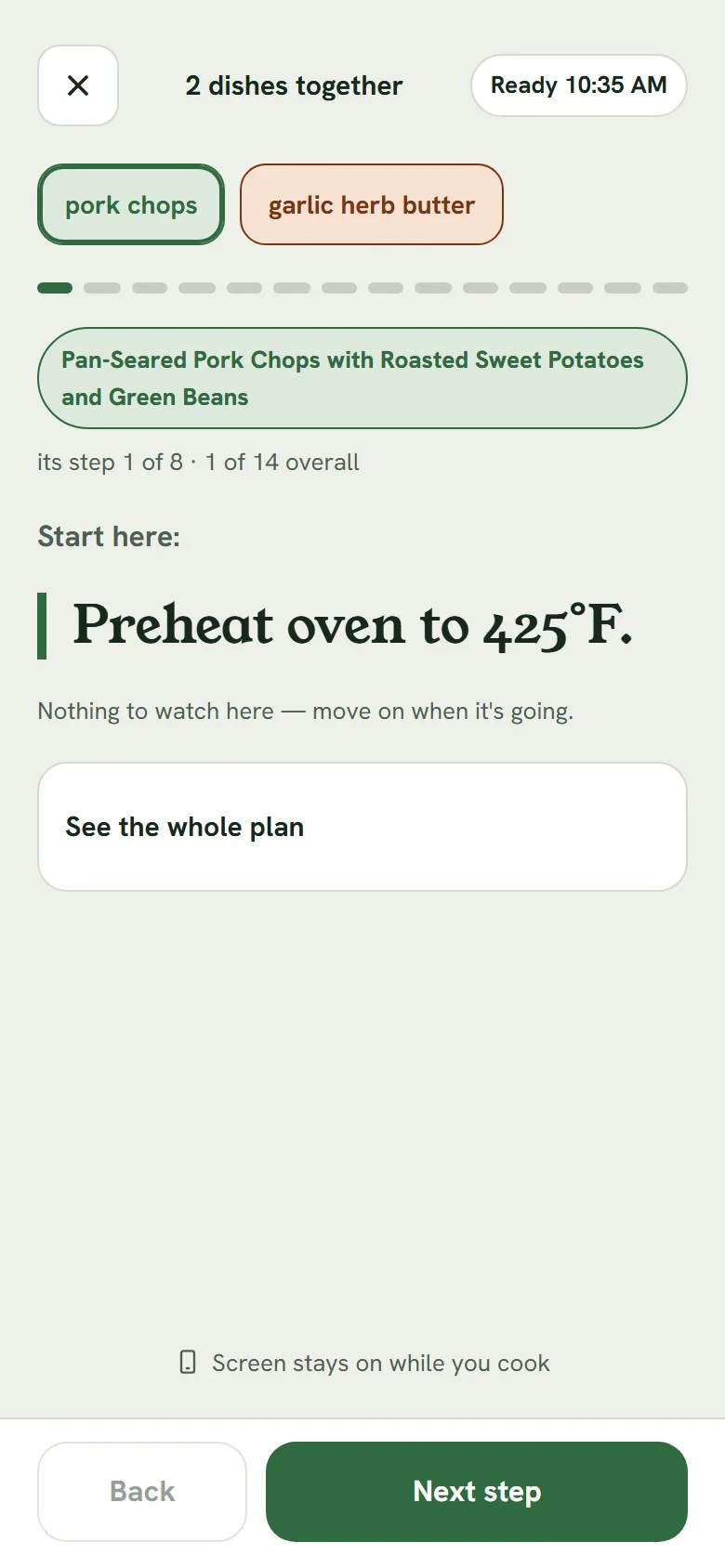
Cook-along puts two or three dishes on one timeline, worked backwards from dinner so they land together. It never asks your hands to do two things at once, drops the chopping into the simmering gaps, and tells you when two dishes want the oven at different temperatures.
There's no AI in it. It's arithmetic on each recipe's own timers, so it's instant and it can't invent a step.
- Cook modeOne step per screen, big type, timers that don't drift when your phone locks. Your place is saved, so a closed tab picks up where you were.
- Cook for a different numberSet any recipe from 1 to 24 servings. Amounts come out as ⅓ cup, not 0.333, and cooking for fewer never rounds half an avocado up to a whole one.
Plan a big meal
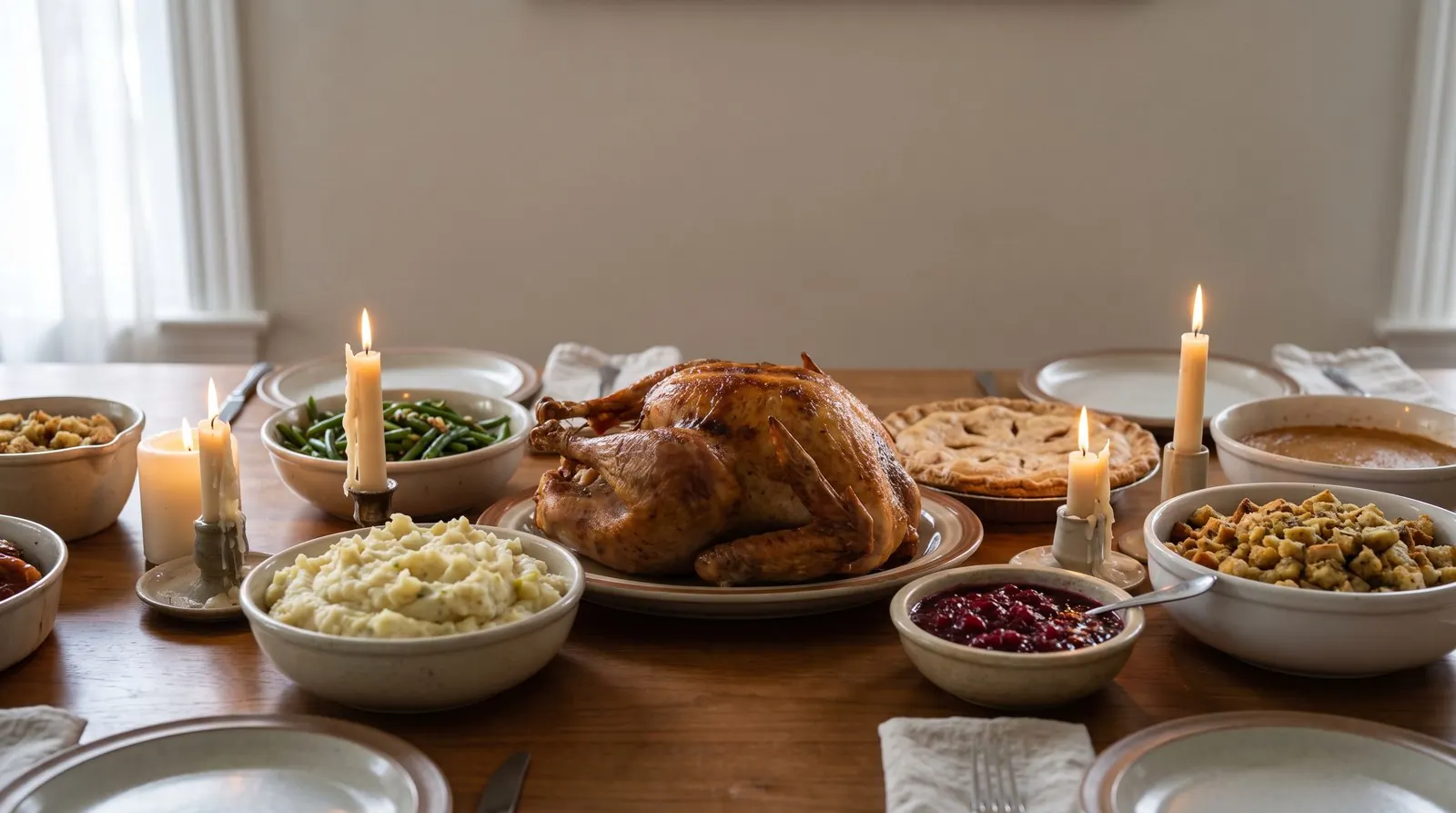
Thanksgiving for seven. One oven. Two hands.
Name the occasion, the date and how many are coming. You get a menu by course, every recipe written for seven rather than multiplied afterwards, one shopping list for the whole meal, and a cook plan.
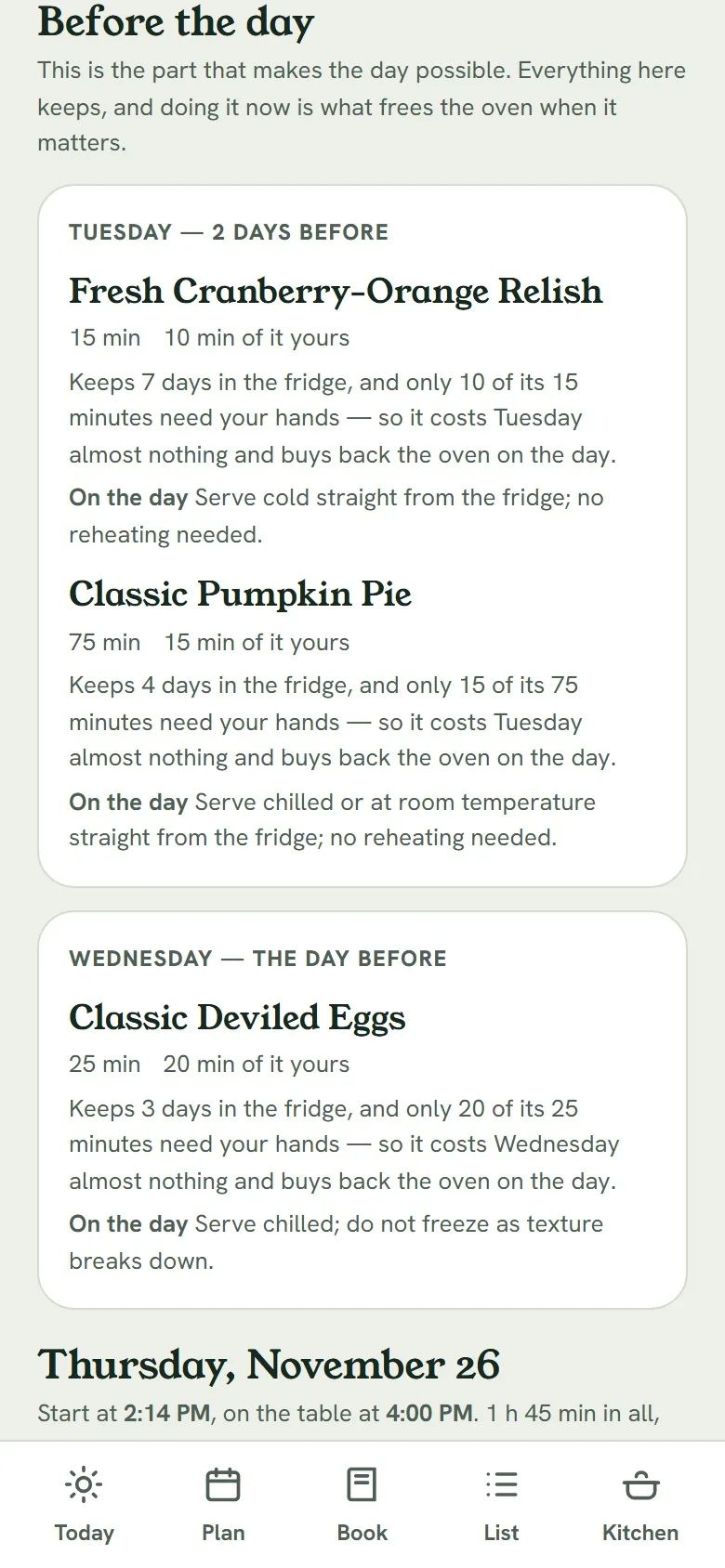
Up to ten dishes and 24 guests. Reheat times for made-ahead dishes are estimated, and the plan says which.
Shows its working
It tells you what it couldn't be sure of.
An AI will happily make up a price or skip a rule. HyreKitchen checks the AI's work, shows you what it matched, and says so when something didn't.
Every price shows what it matched
A priced line shows the actual product behind it: photo, brand, size and price. Grocery search is sometimes confidently wrong, so anything it couldn't match is listed for you to grab yourself, and any pick can be replaced.
Imports keep their source, and their warnings
A recipe from a link keeps the site's name and link. If it breaks one of your rules it's saved with a warning naming the rule, not quietly changed, and amounts it could only approximate are named so you can check them.
Allergies, checked twice
Once in the rules the recipe is written from, and again by a checker that reads the title, every ingredient and every step. Shrimp, crab and scallops count as shellfish. Eggplant doesn't count as egg, and olive oil isn't an olive. It runs on every recipe it writes, and on recipes you import.
Foods you list are never knowingly included. It's a thorough word check, not a medical device, so keep reading labels.
Waits it admits to
A menu takes about thirty seconds and the full recipes 60 to 120 more. The screen tells you so and counts, rather than pretending it's instant. Pricing a list shows a progress bar and the time taken.
Your kitchen
Built for the kitchen you have.
What you can cook with
Stovetop, oven, microwave, air fryer, Instant Pot, slow cooker, grill. “A microwave and a kettle” is a real answer. A recipe that needs something you don't have is rejected before you see it.
One or two of you
Invite one other person with a link. You share the plan, the list and the book, and you each rate the food yourselves, so one of you loving it doesn't get averaged away.
Seasonal where you live
Menus know the month and your state, so a kitchen in Pennsylvania gets Pennsylvania's October, not somebody else's.
No Kroger? That's fine.
Say “I don't shop at Kroger” once and the store prompts go away. Everything except store prices works without one.
Your account
Easy to leave, and nothing to hand over.
Your Kroger password never touches the app
Store prices need a ZIP code, not an account. Picking a store doesn't sign you in to anything.
Delete your account from Settings
It goes straight away. If you share a kitchen, only your own things go, and the other person keeps the week.
Fridge photos don't stay
A fridge photo is deleted as soon as you confirm what's in it, and the app only says so once the delete has gone through. Privacy policy
Start in about two minutes
Three steps to this week's dinners.
Make an account
Email and password, or Continue with Google.
Answer six questions
How many you cook for, how you like to cook, up to three goals, which meals, allergies and dislikes, and what you can cook with. All changeable later.
Plan your dinners
A week, or just tonight. Add it to your home screen and it opens full screen like any app.
Free while it's new
Plan this week's dinners.
No card, no download. It works the same on a phone on the kitchen counter as on a laptop.
Help & FAQ
Questions
Is it free?
Yes, while it's new. There's no card to enter and nothing to download.
Do I need a Kroger?
No. Planning, recipes, the list, cooking and ratings all work without one. If there's no Kroger near you, say “I don't shop at Kroger” once and the store prompts go away. Cook on a budget then gives estimates, labelled as estimates.
Which stores can it price?
Kroger and the stores in its family that come back from the same lookup: King Soopers, Fred Meyer, Ralphs, Smith's, Fry's and Harris Teeter, up to 50 miles from your ZIP. You can also copy the list as text and take it to any store.
Where do the calorie numbers come from?
They're worked out from each recipe's ingredients using USDA FoodData Central data where the ingredients can be matched. Where too few can be, the recipe's own figure is shown and labelled as an estimate. Treat them as a guide per serving, not medical or nutrition advice.
How long does planning take?
About thirty seconds for a week's menu, about twenty to swap one dish, and 60 to 120 seconds to write the full recipes once you approve. The screen tells you what it's doing while you wait.
Can it fill my Kroger cart?
Yes. Connect your own Kroger account once (you sign in on Kroger's site) and send the whole list to your cart in one tap. Then check out in the Kroger app for pickup or delivery. It works with Kroger and the stores in its family.
Is it only dinner?
It starts with seven dinners because that's the meal most people plan. Breakfast and lunch are one tap each, and you can pick which days.
Can I use my own recipes?
Paste a link to a recipe and it's imported with its source named and linked. It gets a shopping list, cook mode and ratings like any other recipe. If it breaks one of your rules, it's saved with a clear warning rather than quietly changed.
What about allergies?
Allergies you list are checked twice on every recipe it writes: once in the rules it's written from, and again by a checker that reads every ingredient and step, including common derivatives. Foods you list are never knowingly included. It isn't a medical device, so keep reading labels, especially for a severe allergy.
Can two of us share it?
Yes, one other person. Send an invite link and they land in the same kitchen: same plan, same list, same book, with their own ratings.
How do I delete my account?
Settings → Account → Delete my account. It happens straight away. For a copy of your data, email support@hyrekitchen.com.
Does it work on iPhone and Android?
Yes. It runs in the browser and can be added to your home screen, where it opens full screen like an app. There's no app store download.